
From building plan to municipal approval.
Upload your plans once. Lauren checks them against SANS 10400, the municipal by-laws and the estate’s rules — so you fix problems before the council finds them.
Three steps from drawings to approval.
Upload your plans
Create a project and drop in the drawings, title deed and zoning certificate. The property details are read for you.
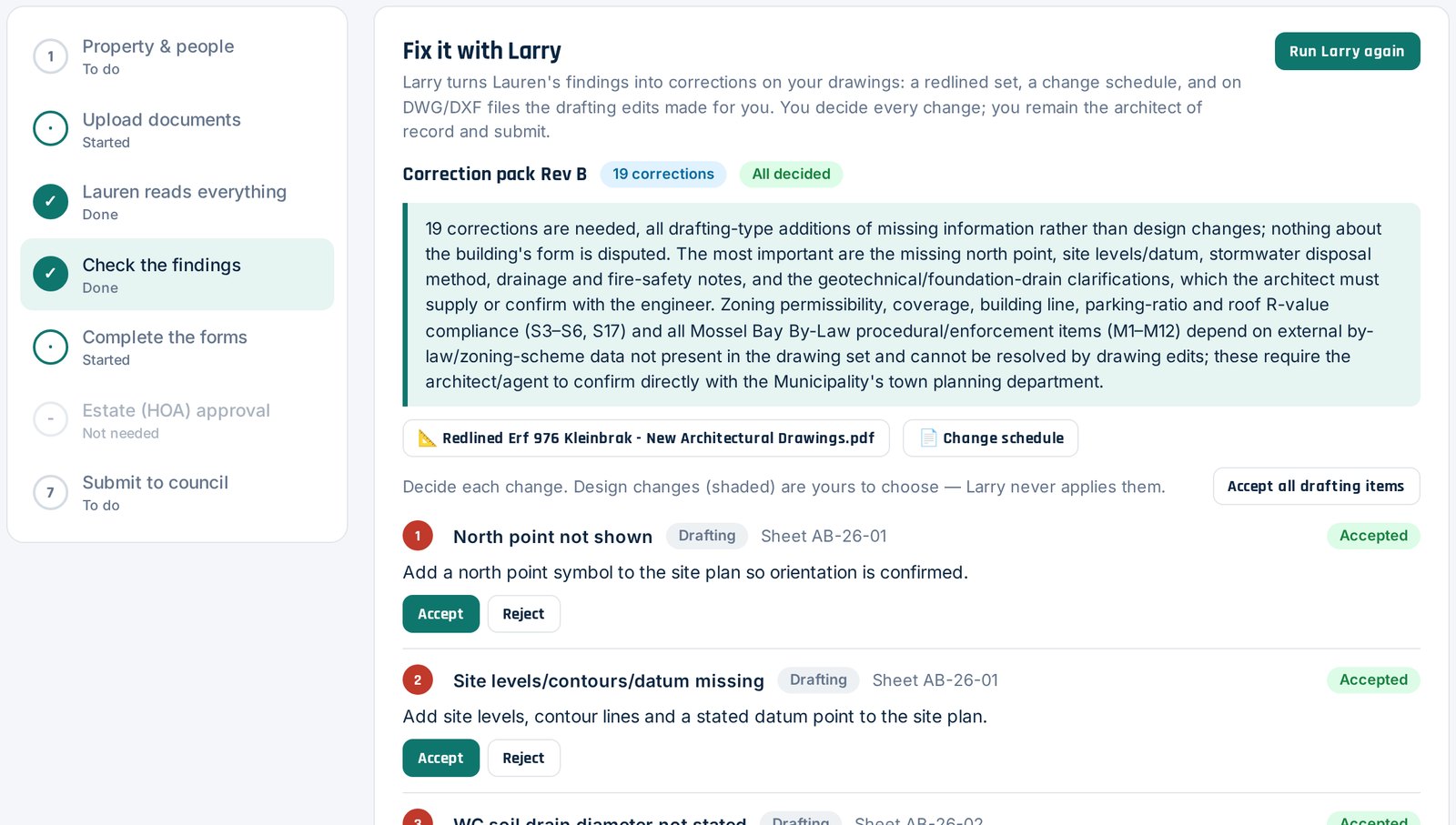
Lauren checks them
Each sheet is checked against SANS 10400, the by-laws and zoning scheme, and the estate’s rules. You get a clear list of findings — and Larry redlines the fixes.
Submit and track
The forms fill themselves. Plans go to the estate, come back stamped, and go on to the council — tracked in one place.
The full seven-step process is set out on the Services page.
Less back-and-forth. More approvals.
Find the problems before the council does.
A missing north point or a building-line breach is a quick fix today — and a six-week resubmission later.
Nothing typed twice.
The statutory forms fill in from what was read on the drawings.
Estate approval online.
The committee reviews online and the approved set comes back stamped, with a certificate.
Always know where it stands.
One record from first upload to council — for the architect, the owner and the estate.
Reuse what you already have.
Registrations, insurance and standard details are kept once and attached to any project.
450 estates · 203 municipalities
Municipal by-laws and estate rules loaded for Lauren — with more estates’ rules being added every week.
Simple pricing. Nothing hidden.
One subscription for architects and other subscribers. Pay per report, and add people as your practice grows.
- Lauren’s compliance check on a project
- Findings against SANS 10400, by-laws, zoning and estate rules
- Pay only for the reports you run
- For architects and other subscribers
- The seven-step submission, from property to council
- Lauren reads every document and fills the forms
- Estate and council submissions, tracked in one place
- My Practice: reusable practice documents
- One user included
- Per additional user on your subscription
- Same projects, same practice documents
- Add or remove users at any time
Estates and municipalities: their portals cost them nothing. Find your estate or council.
Loved by the people who use it.
“Lauren picked up three by-law issues before we submitted. The council round that used to cost us six weeks just didn’t happen.”
“Our committee reviews plans online now, and the stamped set goes straight back to the architect. No more couriered paper.”
“The forms fill themselves from the drawings. I check the figures instead of typing them out for every project.”
“For the first time I could see exactly where my plans were — at the estate, then at the council.”
Frequently asked questions.
What does PlanApprove check a plan against?
SANS 10400 (the National Building Regulations), the municipal by-laws and zoning scheme for the property, and — in a security estate — the estate’s own architectural rules. The list of estates and municipalities loaded so far is shown further down this page.
Who signs off the findings?
You do. Every review is a digitally assisted first pass: Lauren lists what needs attention, and the architect or professional of record confirms every finding before anything is submitted.
What does it cost?
Architects and other subscribers pay R799 per month, plus R100 per report. Extra users are R99 per month each. There is no cost to an estate or a municipality for its portal.
What counts as a report?
A report is the compliance check Lauren runs on a project’s drawings and documents, with its list of findings — charged at R100 each.
Which files can I upload?
Drawings and documents as PDF, DWG, DXF, JPG or PNG — including the title deed, zoning certificate and SG diagram.
Does estate approval replace council approval?
No. The estate approves first and the stamped plans then go to the municipality. PlanApprove tracks both steps on the same project.
Can I add people from my practice?
Yes. Your subscription includes one user; each extra user is R99 per month.
My estate or municipality is not online yet — can I still use PlanApprove?
Yes. Prepare and check the plans on PlanApprove and submit as usual. Estate committees and council officials can ask us to switch their portal on.
Something else? Ask Lauren or email info@planapprove.co.za.
The rules behind every check.
No match. See every estate and municipality.
Every municipality here has its by-laws loaded. Estates marked “Rules checked” have their rules loaded; those marked “Rules in progress” are being added. “Online” means it receives plans through PlanApprove today. Open the estate & council portals